Skip to the guide

Home  /  Download

Download BT Revival

Just one file to download: the launcher installs the game, its server and everything you need to play, then keeps it up to date by itself.

Download the launcher
BT-Revival.exe Windows 10 and 11 (64-bit) Game: about 3.1 GB
1

Download the launcher

Click "Download the launcher". Your browser may warn you that this file isn't commonly downloaded: that's normal for a program that's still new.

  • Microsoft Edge: in the downloads list, hover over BT-Revival.exe, click … then Keep. If Edge insists, click Show more then Keep anyway.
  • Google Chrome: click Keep in the downloads list.

Only download the launcher from this website or the official Discord: a copy found anywhere else may have been tampered with.
2

Open it and get past the warning

Double-click BT-Revival.exe. The first time, Windows shows a blue "Windows protected your PC" window: it doesn't know the launcher yet (we explain why below).

  1. Click More info.
  2. Check that the file is indeed called BT-Revival.exe, then click Run anyway.
① Click "More info".
② Click "Run anyway". Illustrations: the window on your Windows may look slightly different.
3

Create your account and install the game

The first time it opens, create your BT Revival account (username, email, password) or log in. A 6-digit code is sent to you by email to confirm your address: if it isn't in your inbox, check your spam folder.

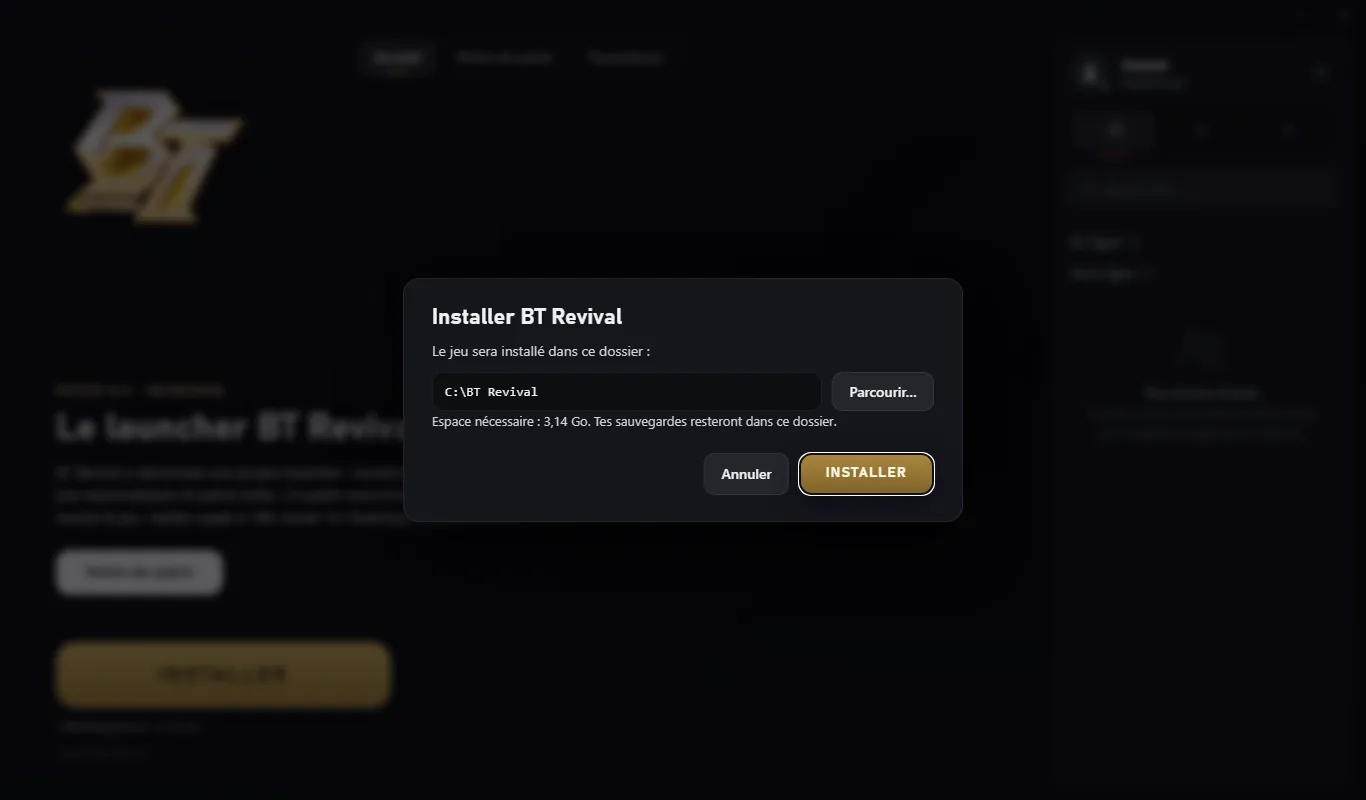
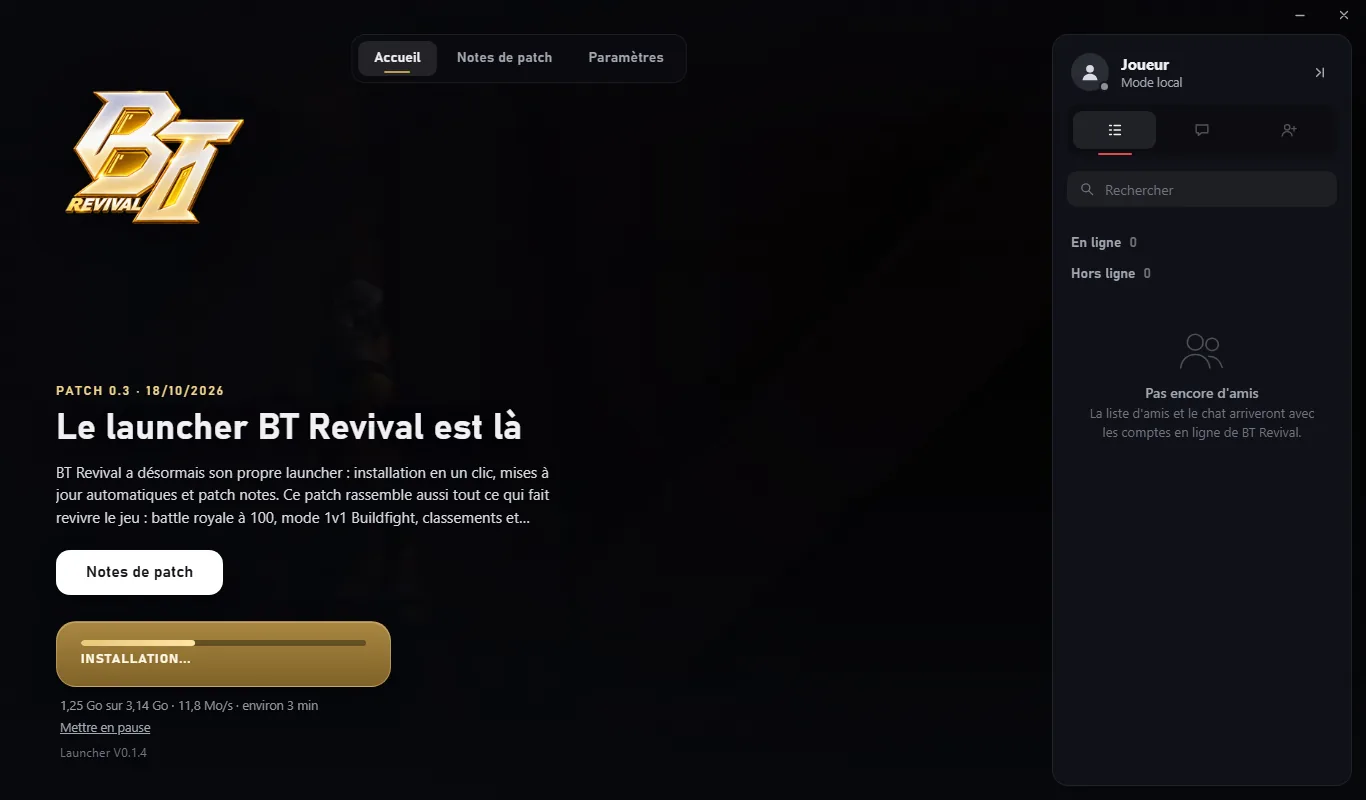
Then click Install, keep the suggested folder (C:\BT Revival) or pick another one, then confirm. The launcher downloads the game, checks every file and creates a "BT Revival" shortcut on your Desktop and in the Start menu.

If your connection drops or you close the launcher, the download will pick up where it left off.

The launcher offers to install BT Revival in C:\BT Revival
Choosing the install folder.
The launcher downloading the game, with the progress bar and speed
Download: progress, speed and time left.
4

Click Play

The Play button starts the game's server, then the game. When you quit, the launcher stops the server by itself.

After that, just open the "BT Revival" shortcut: every time it opens, the launcher installs new patches (only the files that changed) and updates itself.

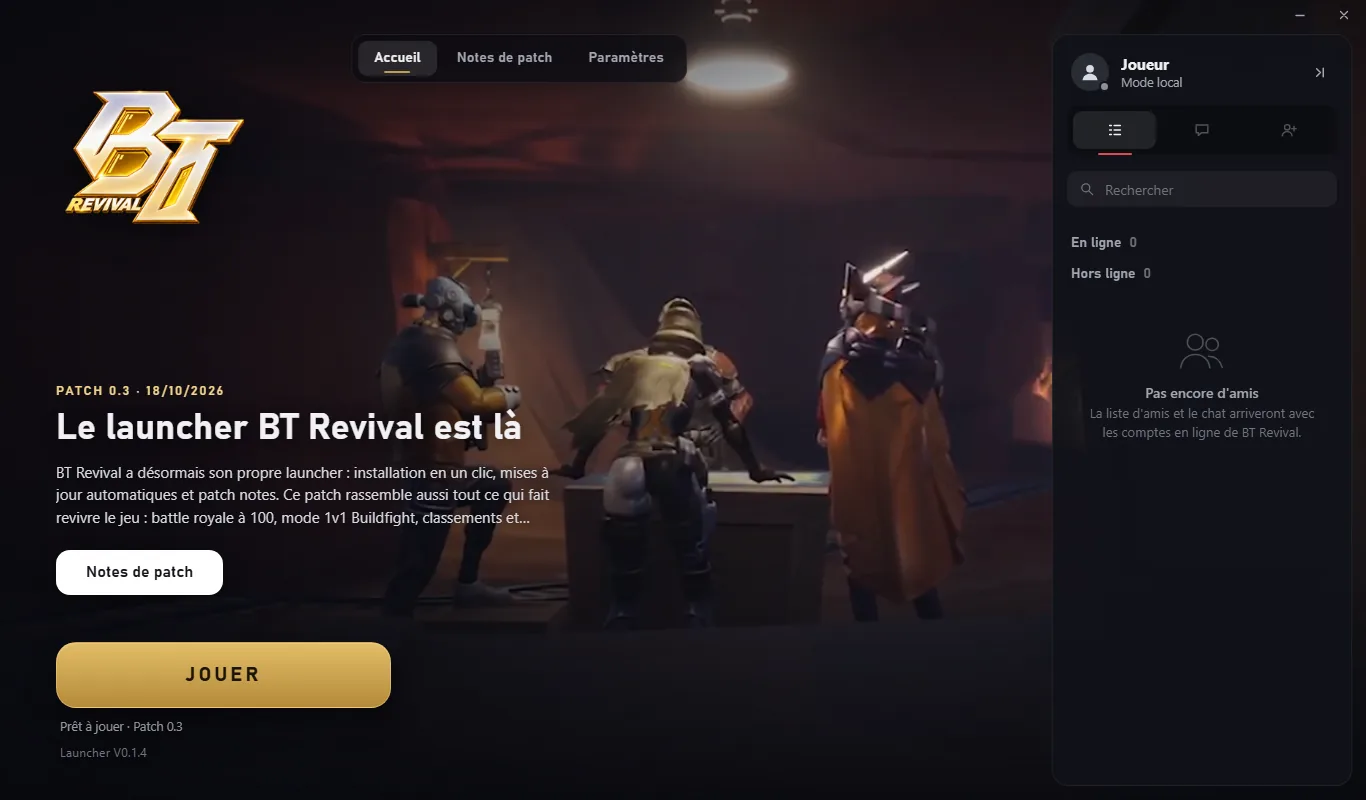
The BT Revival launcher ready to play, with the latest patch
Ready to play: the latest patch shows on the home screen and in the Patch notes tab.

Why does the antivirus react?

Nothing unusual: the launcher is a new program that doesn't have a digital signature yet (a paid certificate that proves who published a program). Windows SmartScreen blocks any program it doesn't know yet, as a precaution, and antivirus software keeps a close eye on programs that download and update files, which is exactly what a launcher does. The more the launcher is downloaded, the better Windows will know it.

What the launcher does

  • It downloads the game and its updates from the BT Revival file server.
  • It checks every file: updates are signed, and the launcher rejects any file that doesn't come from BT Revival.
  • It creates the "BT Revival" shortcuts (Desktop and Start menu).
  • It starts the game's server and the game when you click Play, and stops the server at the end.
  • It updates itself when a new version comes out.

If the antivirus deleted it

Microsoft Defender may mistake the launcher for a threat (name shown: "Trojan:Win32/Bearfoos.A!ml", an automatic detection). To get it back:

  1. Open Windows Security (Start menu).
  2. Go to Virus & threat protection, then Protection history.
  3. Click the alert about BT Revival.
  4. Choose Actions then Restore (or Allow on device).

With another antivirus, restore the file from its quarantine and add an exception for the C:\BT Revival folder. Only do this if you downloaded the launcher from this website.

False alarm reported to Microsoft

On our side, the launcher has been reported to Microsoft as a false alarm, and a digital signature is planned to make these warnings go away.

Download the launcher

BT-Revival.exe · · Windows 10 and 11 (64-bit)

Having trouble?

The most common problems, and how to fix them.

The launcher disappeared after installing

It's almost always the antivirus that quarantined it: follow the steps in "If the antivirus deleted it", or download it again from this page. The installed game isn't lost.

The download stopped

Open the launcher again: it picks up where it left off, without starting over.

The game won't start

In the launcher, go to Settings then Verify and repair files: it checks all the game files and downloads damaged ones again, without touching your saves. If that's not enough, come to the Discord with the server log (Settings, "Open the server logs").

"A BT Revival server is already running on this PC"

Another copy of the game's server is already open. Close the game, wait a few seconds and try again; if needed, restart your PC.

I need help

Come to the BT Revival Discord: describe your problem, with a screenshot if possible.